The Chronicle Dashboard
The Chronicle Dashboard provides full transparency into Chronicle's oracle network. It's a unified interface to explore Chronicle products and verify live data, with clear visibility into how every data point is sourced, validated, and delivered onchain.
The landing page surfaces network-wide stats (e.g.: Total Value Secured, Oracles, Validators, and Data Models), alongside quick links into the two main product sections.
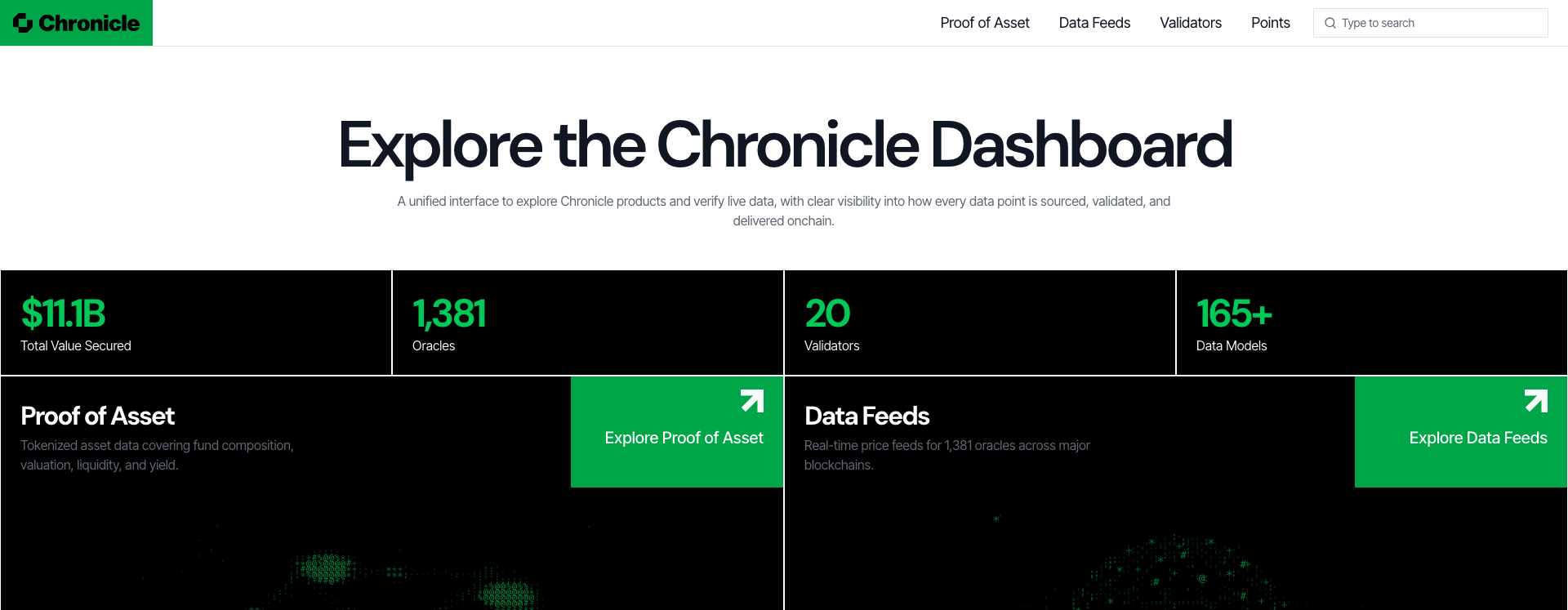
On the dashboard, you will find 4 sections, accessible from the top navigation bar:
- Proof of Asset: tokenized asset data covering fund composition, valuation, liquidity, and yield.
- Data Feeds: real-time price feeds for Chronicle's oracles across every supported chain.
- Validators: details on Chronicle's active validator set.
- Points: track and manage your participation in Chronicle's Points program directly on the Chronicle Dashboard.
Proof of Asset
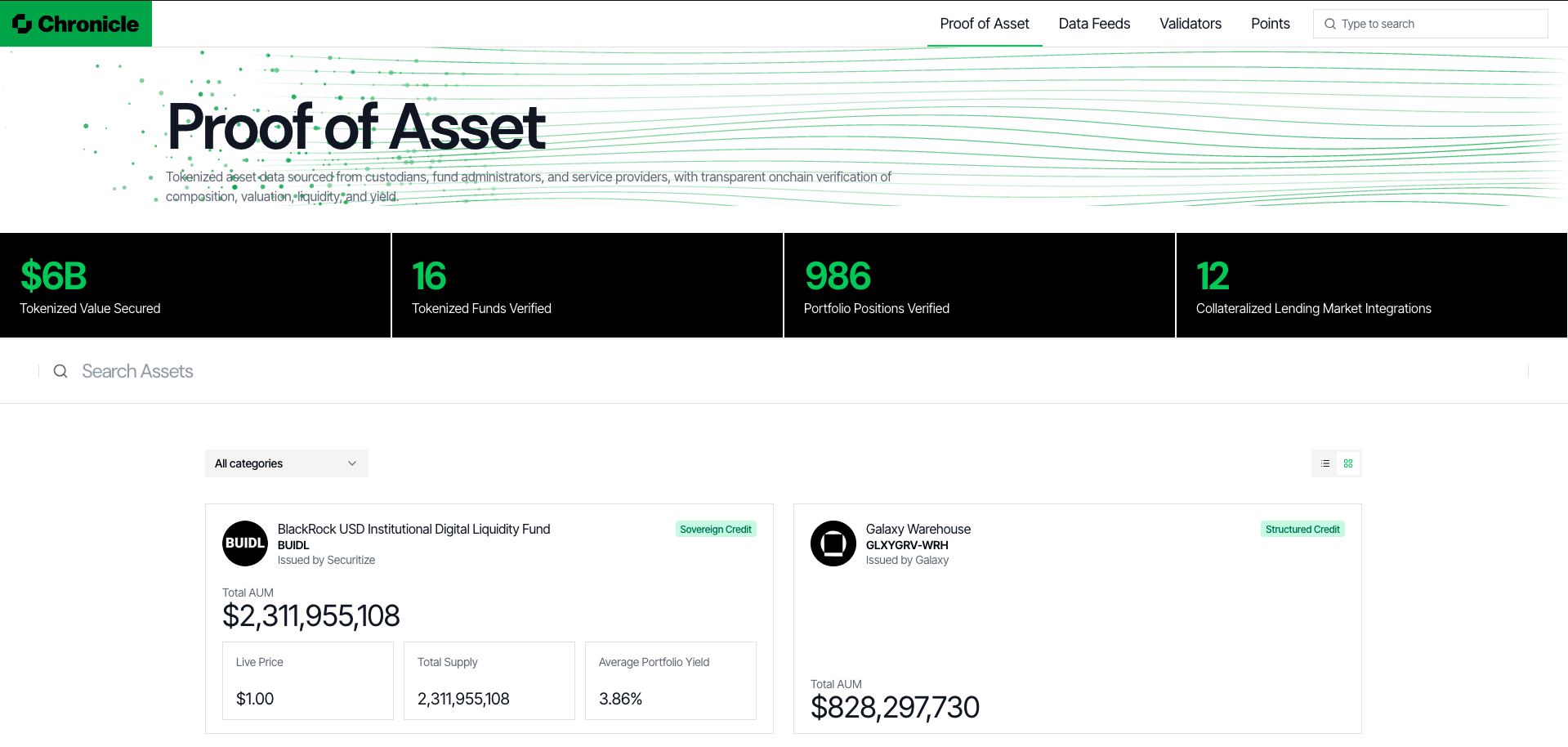
The Proof of Asset tab shows tokenized asset data sourced from custodians, fund administrators, and authorized service providers, with transparent onchain verification of composition, valuation, liquidity, and yield.
Stat tiles summarize Tokenized Value Secured, Tokenized Funds Verified, Portfolio Positions Verified, and Collateralized Lending Market Integrations. Below, you can search and filter assets by category; each asset card shows details such as issuer, Total AUM, Live Price, Total Supply, and Average Portfolio Yield.
Data Feeds
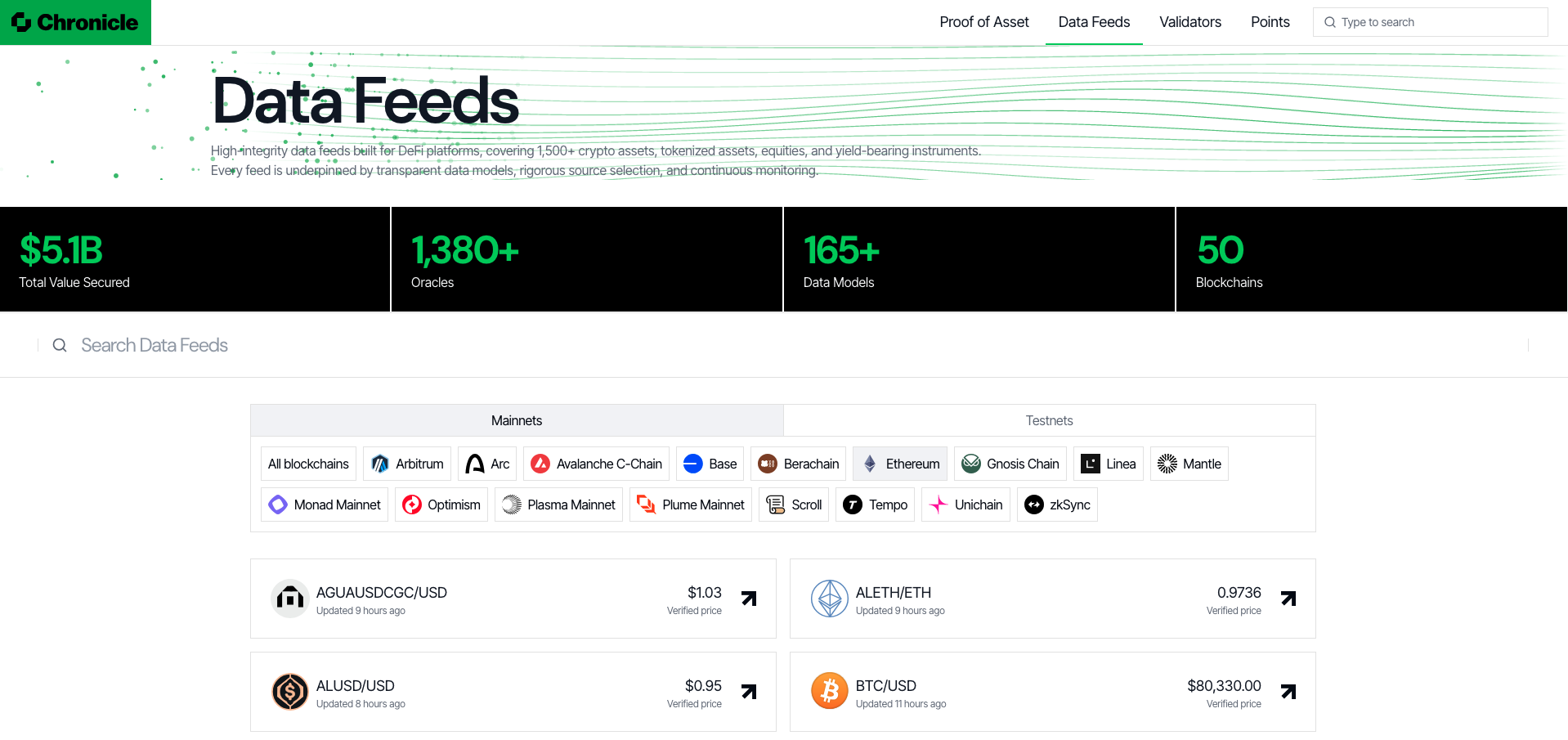
The Data Feeds tab lists Chronicle's high-integrity data feeds, covering crypto assets, equities, and yield-bearing instruments.
Stat tiles summarize Total Value Secured, Oracles, Data Models, and Blockchains. You can toggle between Mainnets and Testnets, then filter by a specific chain. Each feed card shows the pair, when it was last updated, and its verified price.
Exploring a Feed
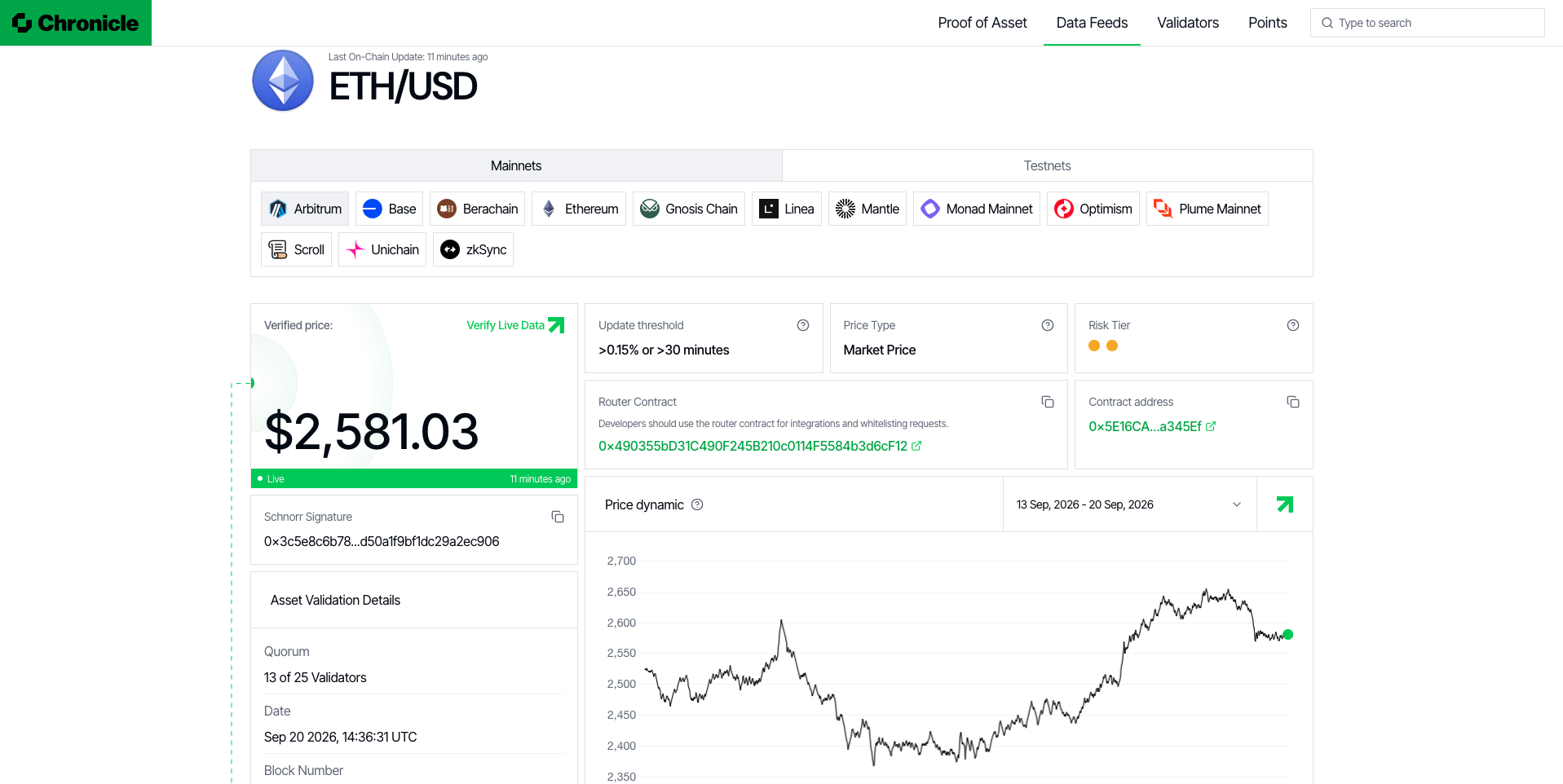
Clicking into a feed (e.g. ETH/USD) opens its detail page, where you can pick a chain the same way as on the Data Feeds tab. From here you can see:
- The Verified price, live status, and a Verify Live Data link.
- The Schnorr Signature used to push the price onchain.
- Asset Validation Details, including the validator quorum (e.g. "13 of 25 Validators"), the date, and the block number.
- Feed configuration: Update threshold, Price Type, Risk Tier, the Router Contract, and the feed's Contract address.
- A Price dynamic chart, over a selectable date range.
Where is the Data Sourced From?
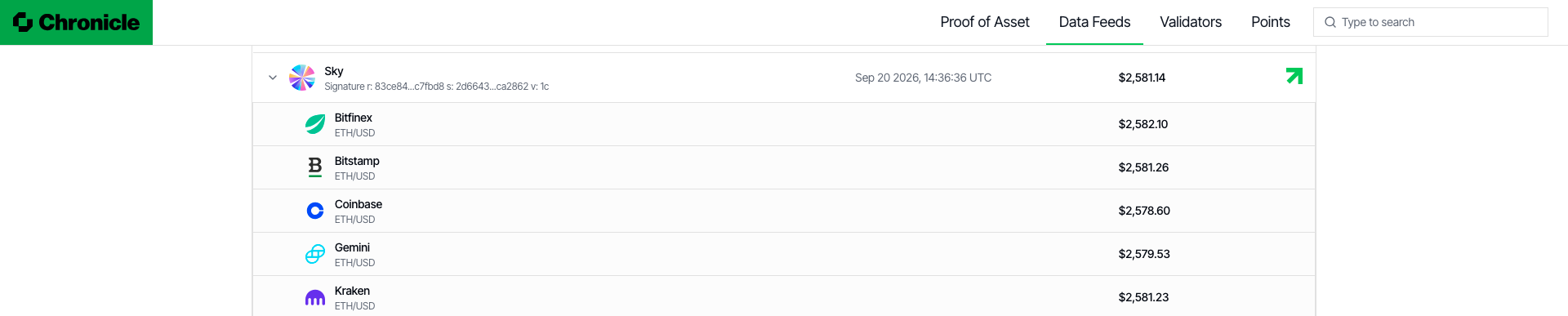
On a feed's detail page, each validator that contributed to the aggregated price can be expanded (via the arrow next to its name) to reveal the underlying data sources it used, along with the price each source reported and the validator's signature for that update. Typically, the data sources are a mix of onchain and off-chain sources with high liquidity.
Verifying Live Data
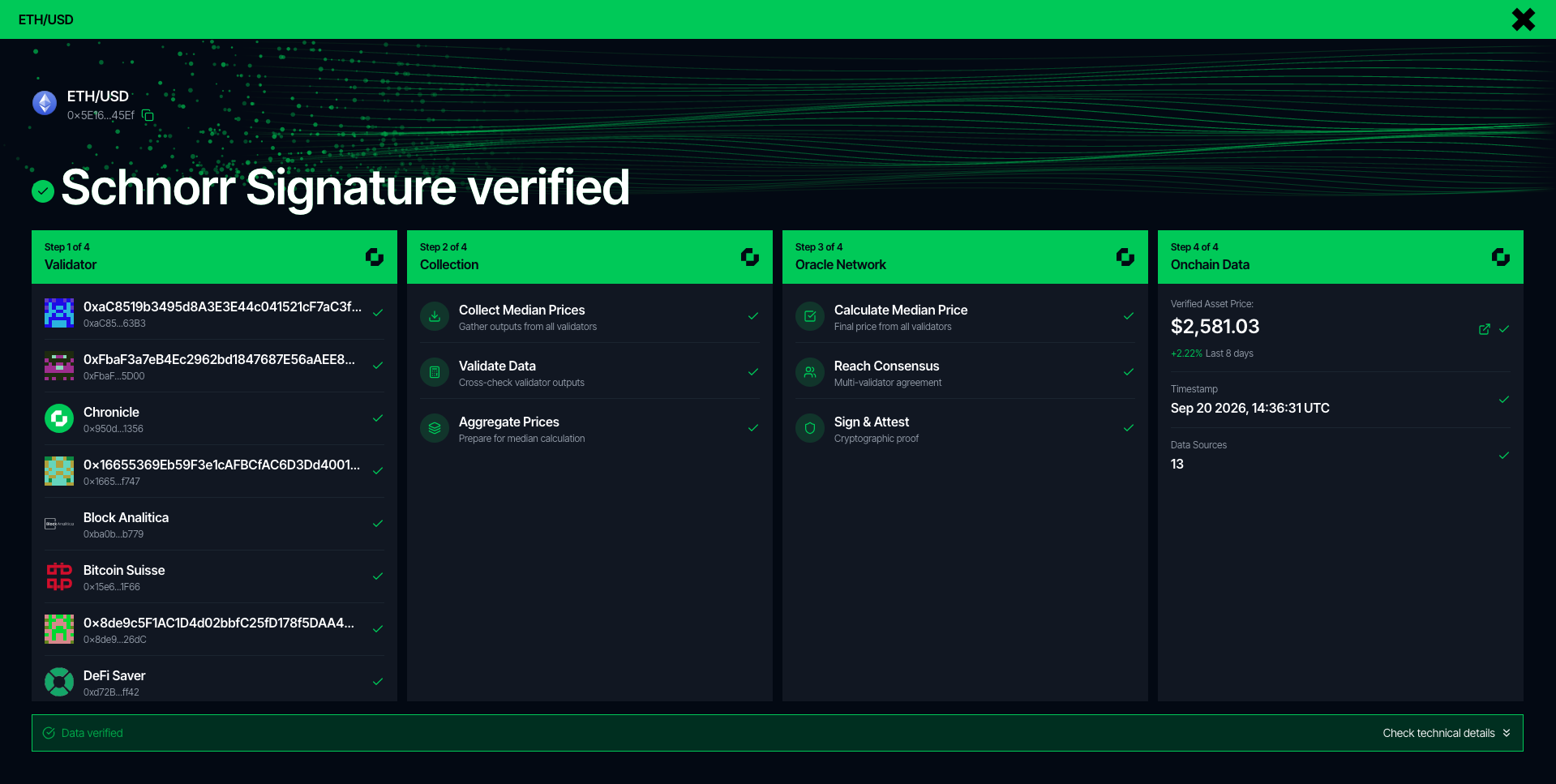
Clicking Verify Live Data on a feed's detail page opens a step-by-step view of how that price was produced and confirmed onchain:
- Validator — the validators that participated in this update.
- Collection — each validator submits its own median price, which is collected and aggregated.
- Oracle Network — the network takes the median of those submitted prices once validators reach consensus; the result is then signed and attested.
- Onchain Data — the final price, timestamp, and number of data sources used.
Once every step is confirmed, the price is marked Data verified.
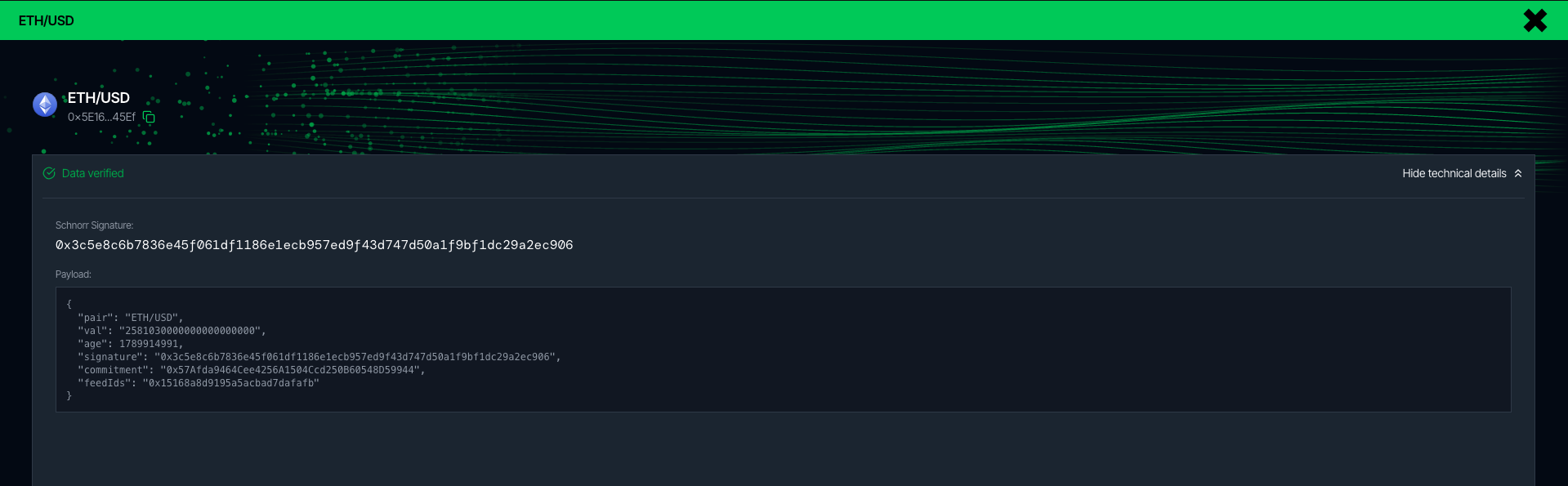
Expanding Check technical details reveals the raw Schnorr Signature used to push the price onchain, along with the signed payload (pair, value, age, signature, commitment, and feed IDs) — allowing you to verify the authenticity of the onchain data yourself.